Shortcast
✺ Product Designer · WDC Corp · 2023 → 2024
Most of a 5,000-summary library sits behind Premium. I designed the app so a locked book still sells itself.
Context. Shortcast is a book-summary app by WDC Corp: bestsellers on business and self-improvement, cut into short audio you can also read, plus ideas from well-known CEOs and quotes recorded as audio. The people it’s for want to learn but rarely have time to sit with a book, so the app had to work on a commute, with one hand. And since most of the library is Premium, the free experience had to do the selling.
My role. Product designer for the whole product: deciding which features made the cut, designing the app from onboarding to the paywall, and the landing page that sells it.
✺ Inside the app
One loop: find a summary, listen or read, save it for later.
Designed phone-first, for people who listen on a motorbike, in a queue or before sleep.
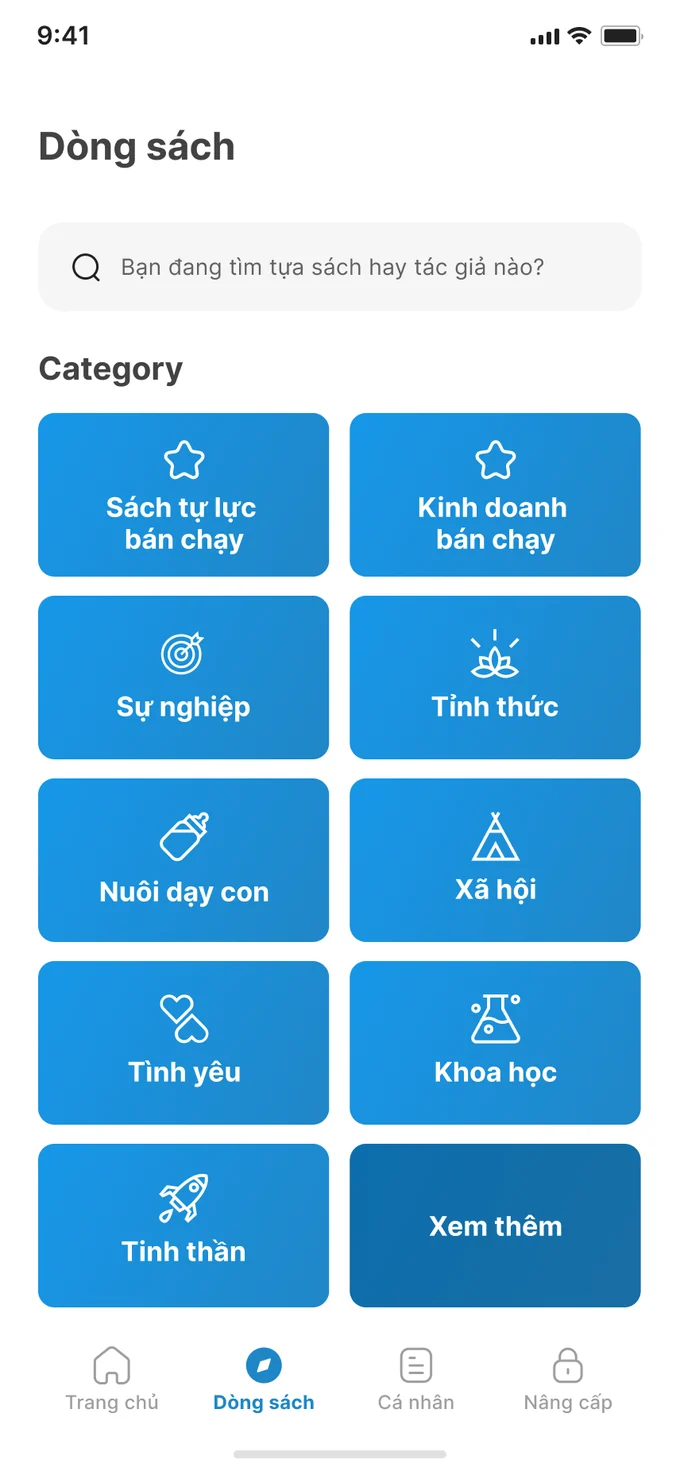
Browse first, search second.
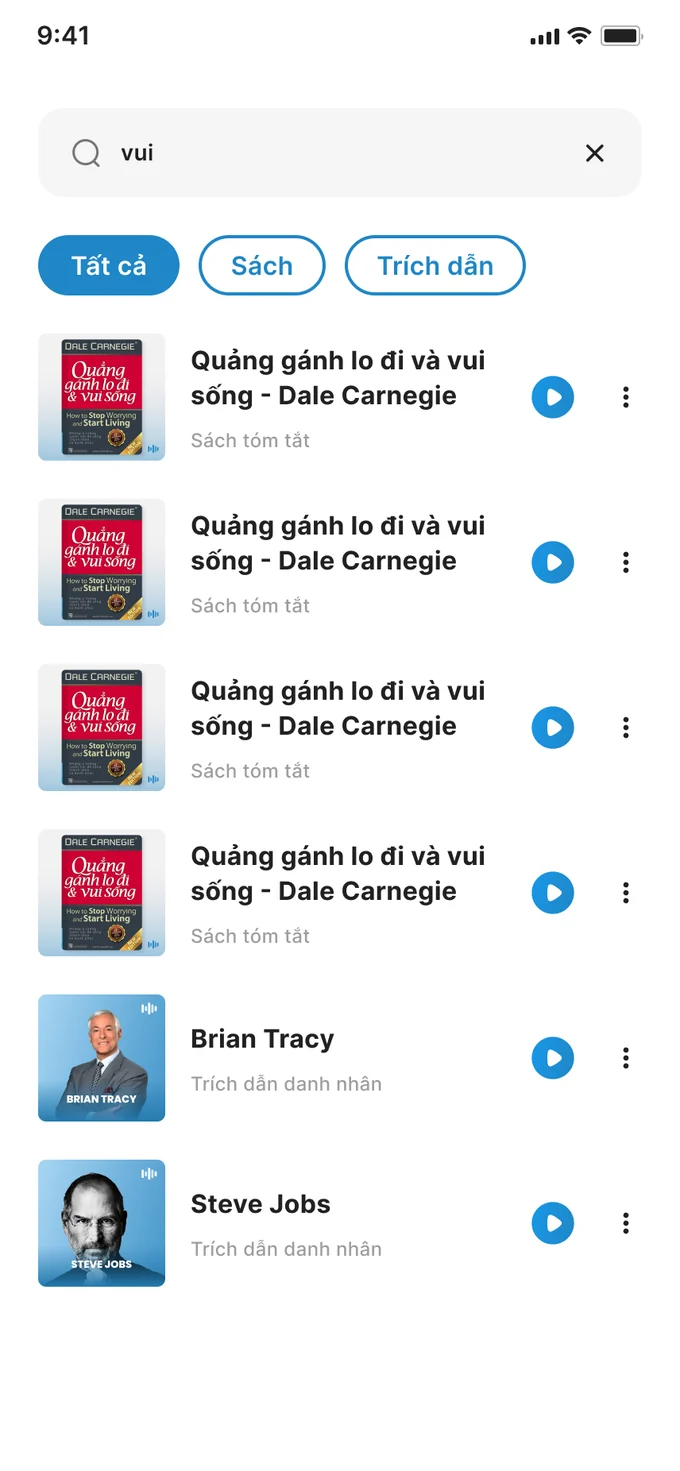
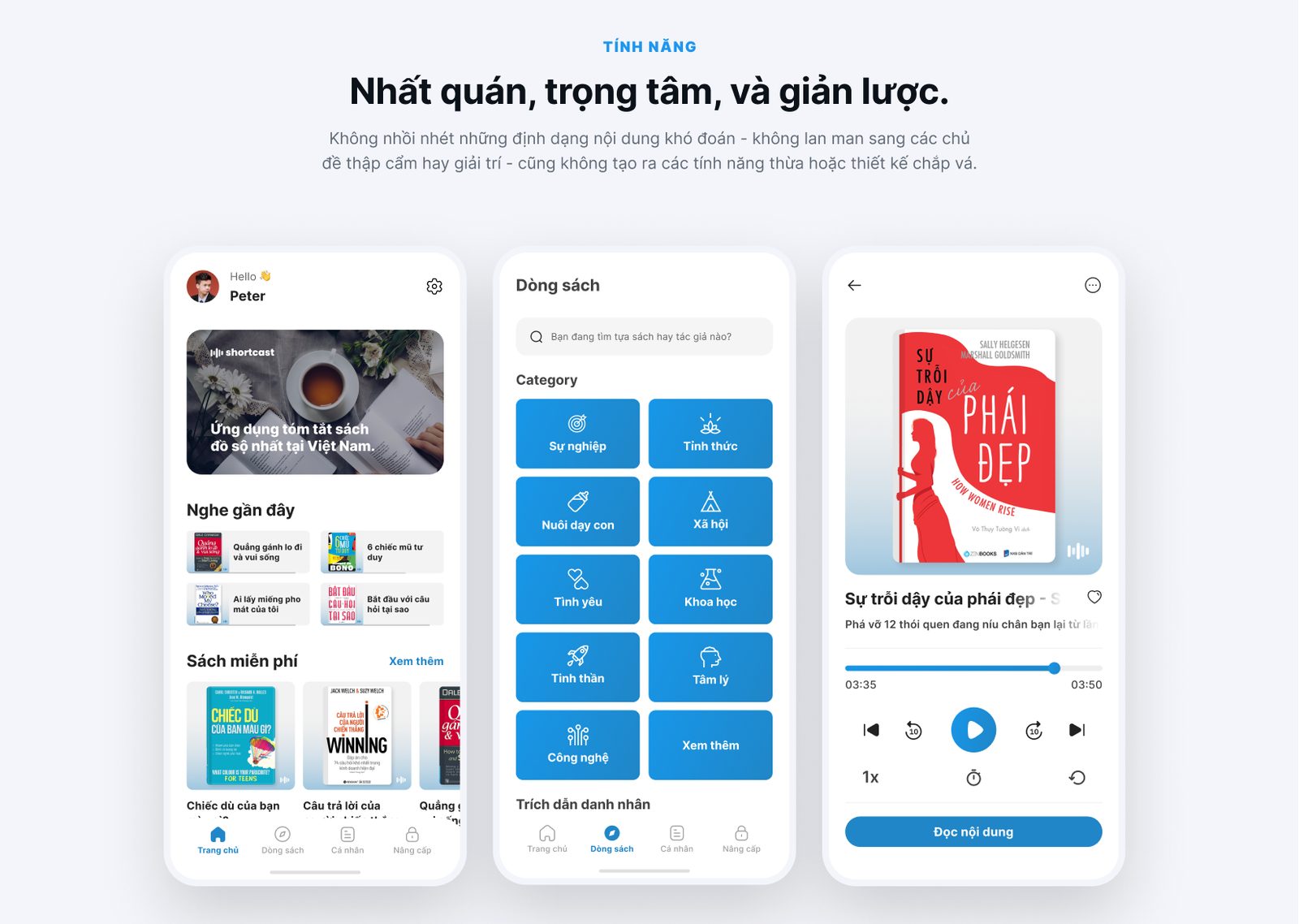
People who want to grow rarely arrive with a title in mind, so the Library tab opens on category tiles big enough for a thumb, instead of an empty search box. Search is one tap away and splits results into All, Books and Quotes. Every row has its own play button, so a result can start playing without opening its page.
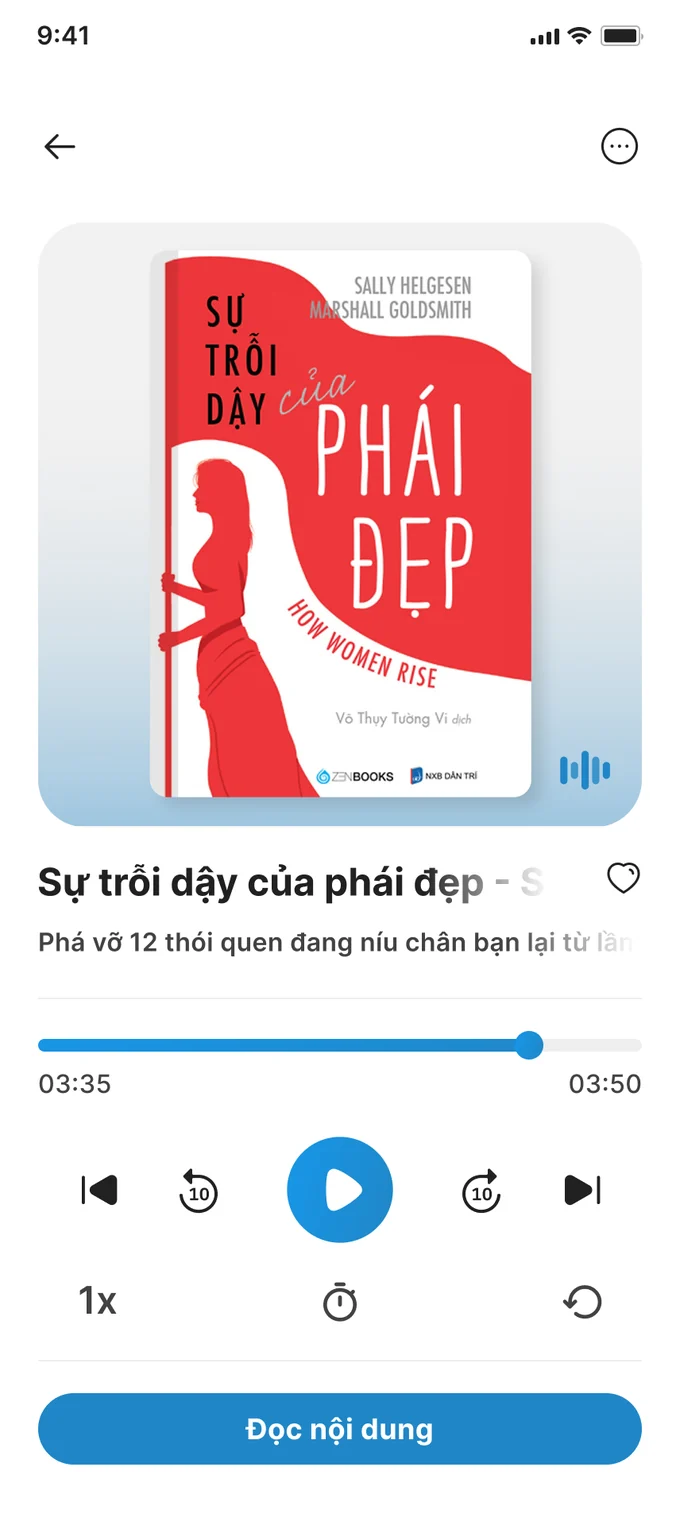
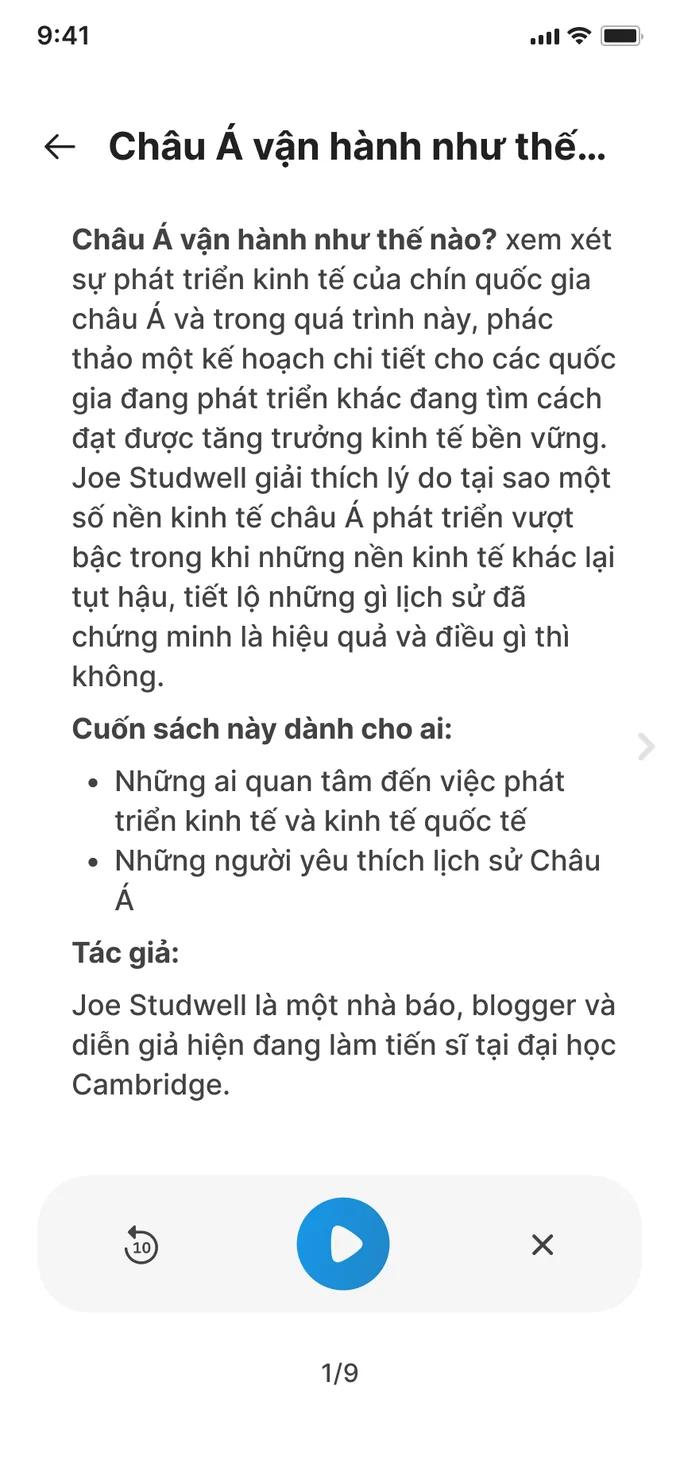
Listen or read, without leaving the summary.
The player works with one hand: skip, speed, sleep timer, repeat. The “Read the content” button under it opens the summary as pages, and a mini player stays pinned at the bottom, so you can switch between listening and reading at any point.
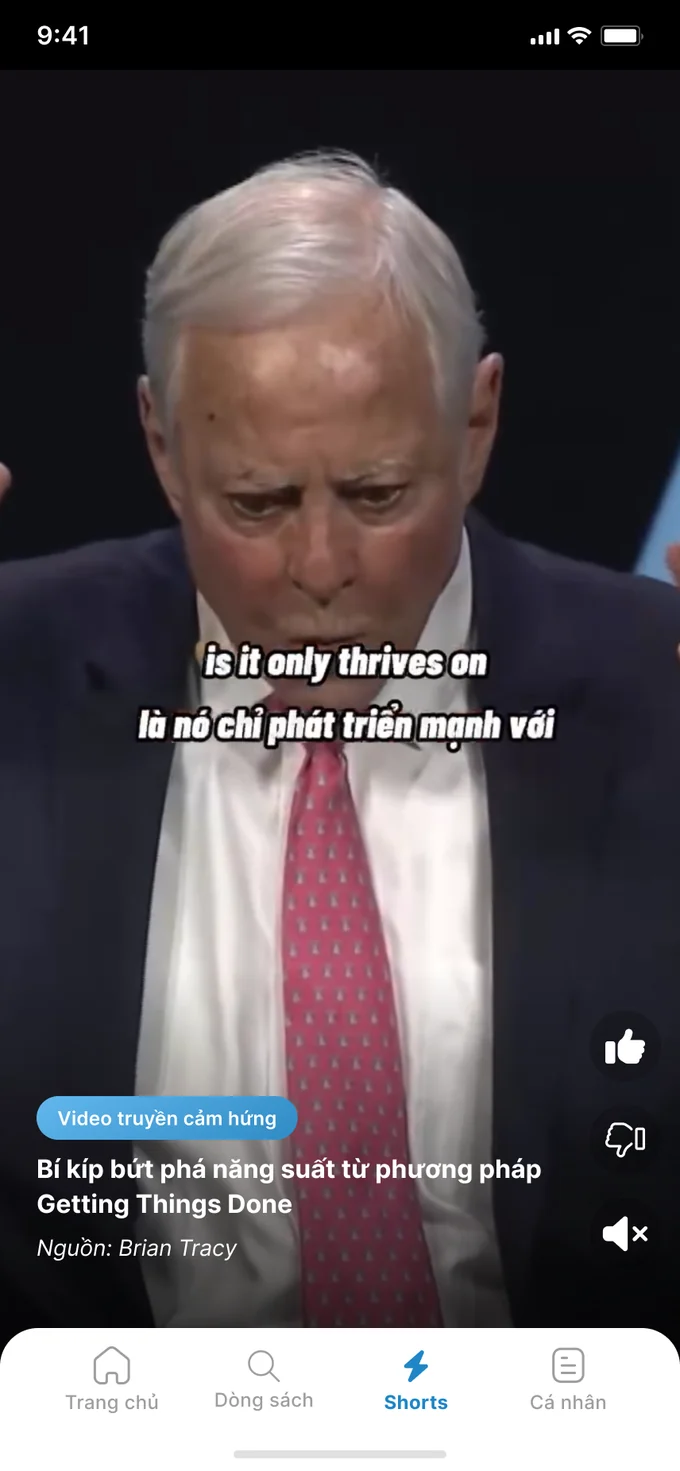
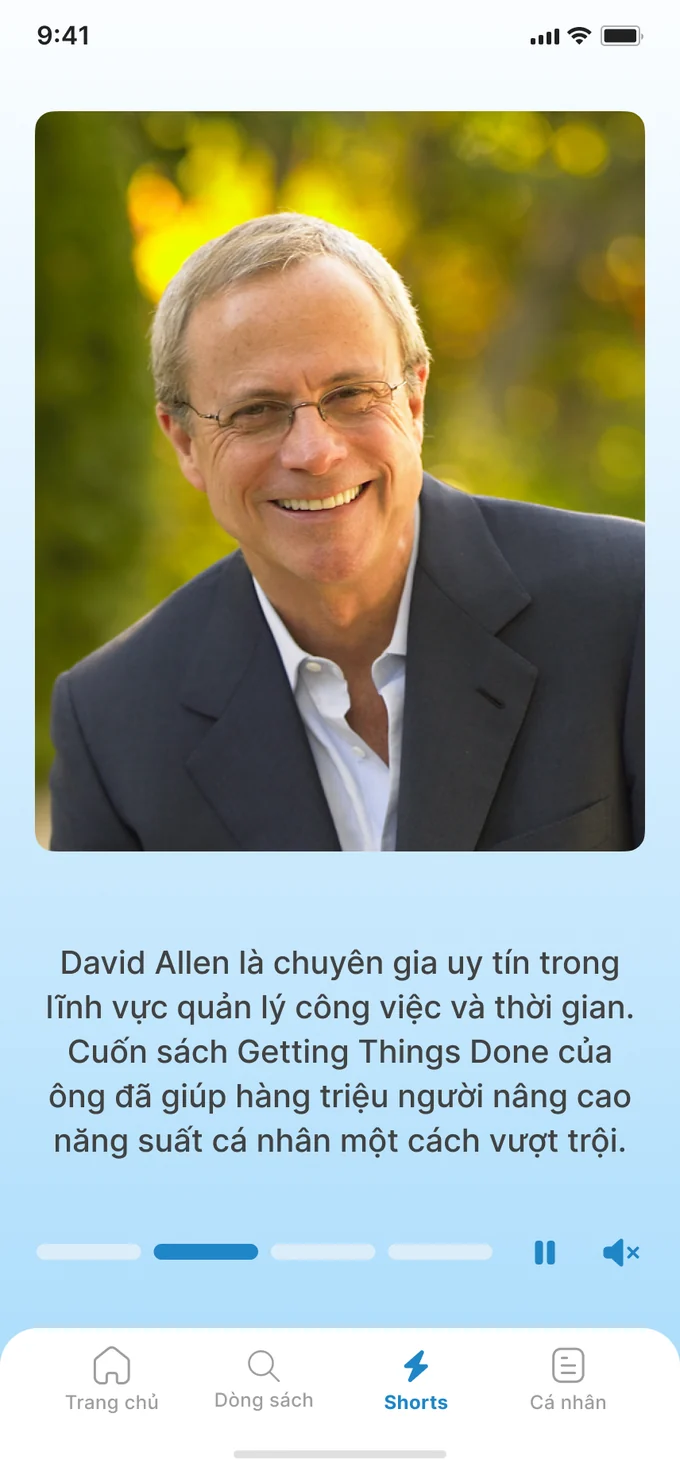
A feed for a spare minute.
Shorts is a vertical feed of short clips and quote cards that play like stories. Each one names the person or book it comes from, so a minute of scrolling still ends with an idea and a name to look up.
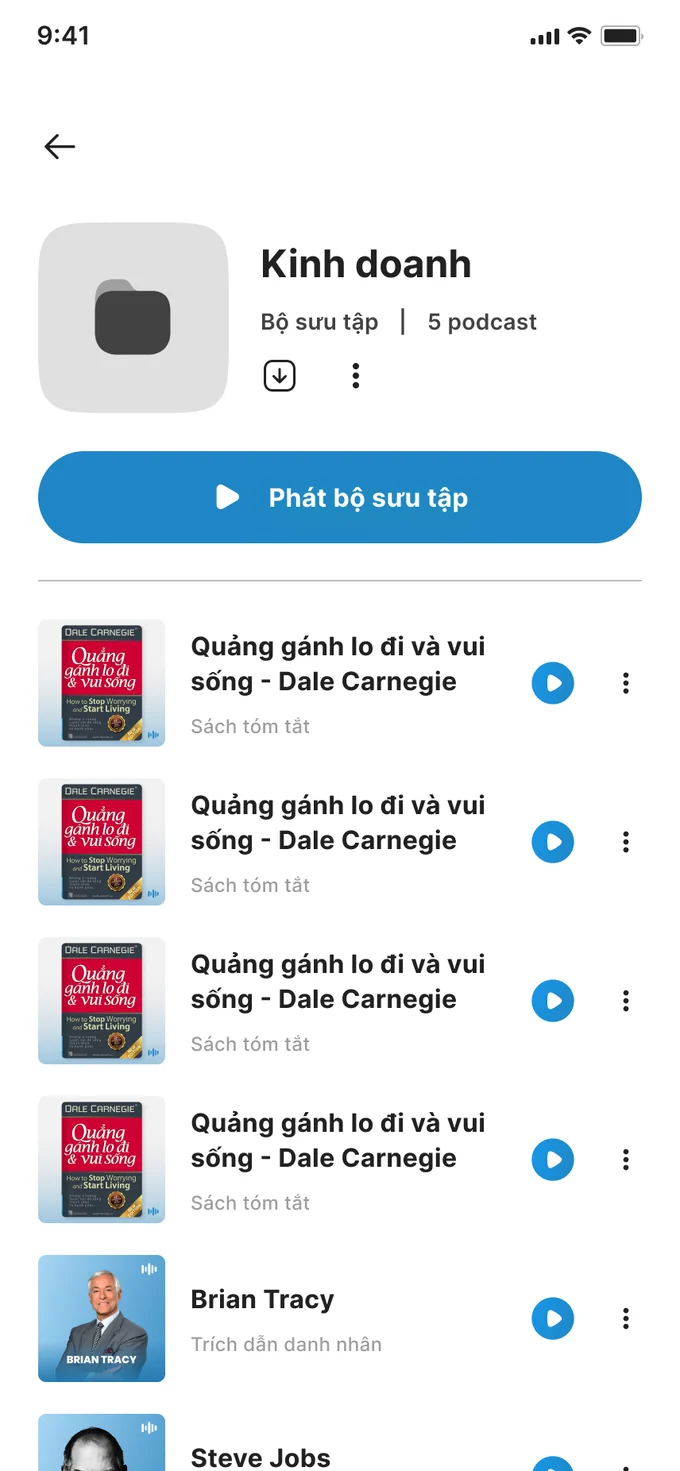
Save it for the commute.
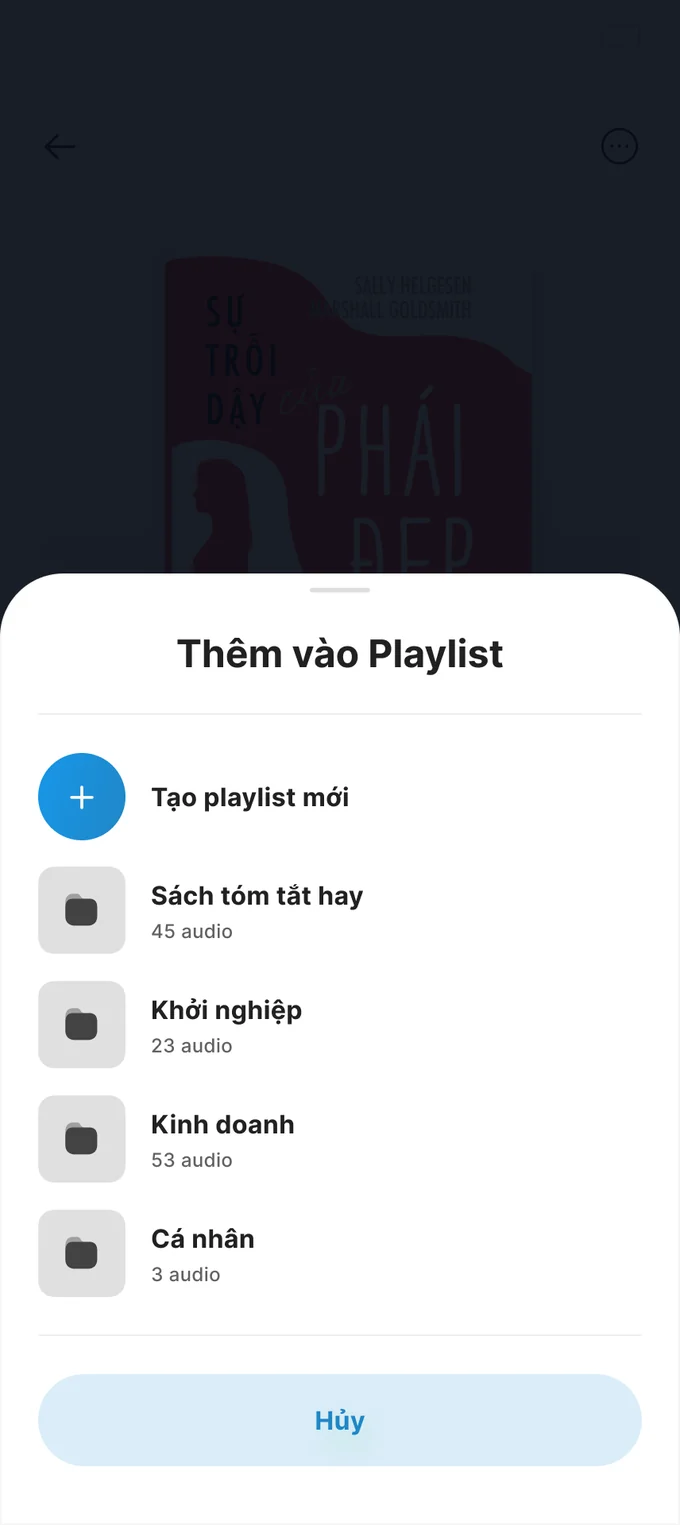
Any summary can go into a playlist from the three-dot menu, and a new playlist can be created in the same sheet. A playlist plays straight through, which suits a long ride.
Premium, without the wall.
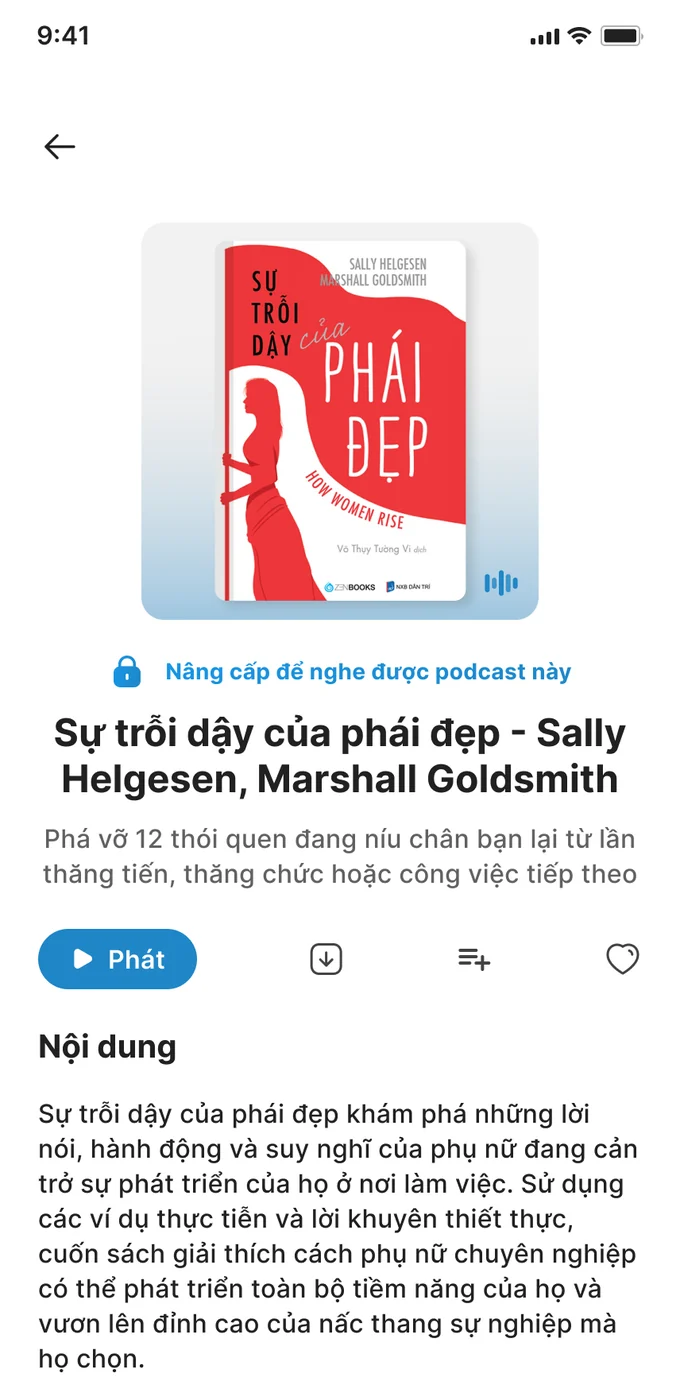
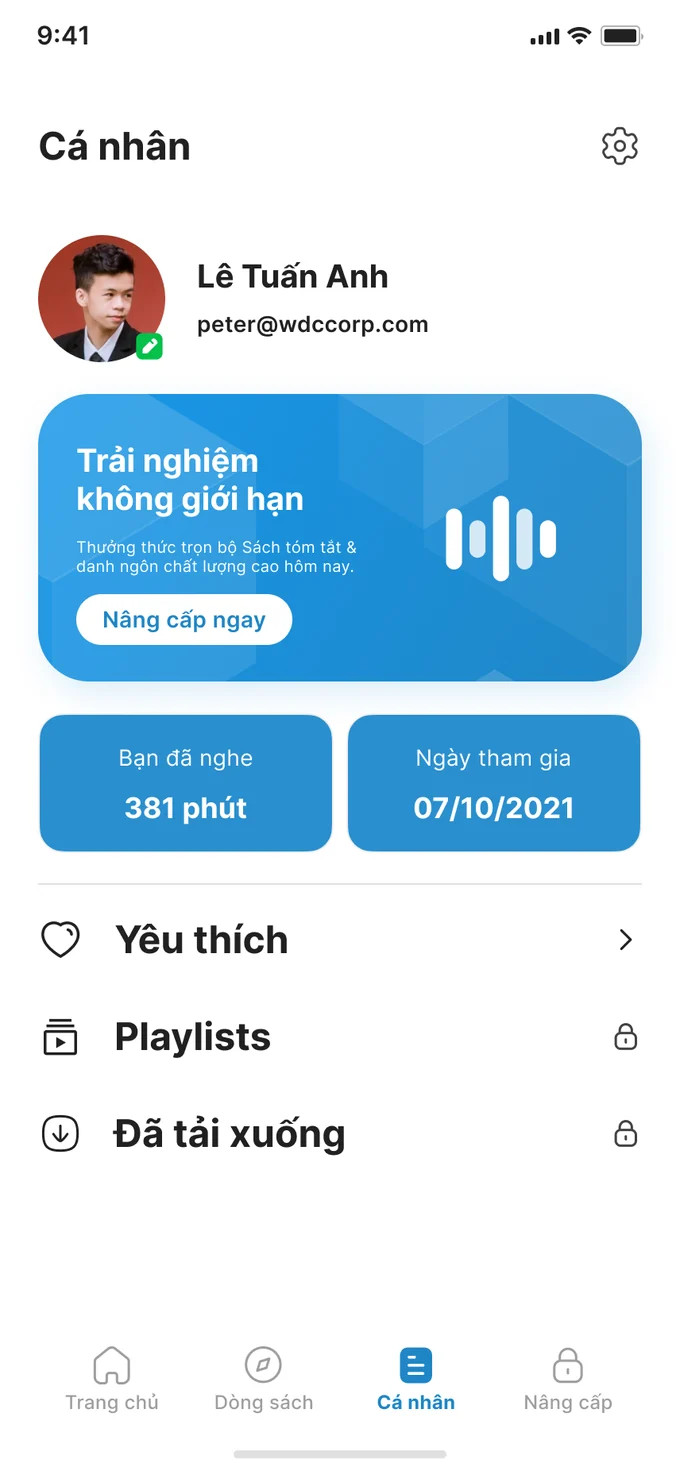
Premium titles open like any other; only the listening is locked (the reasoning is just below). The profile shows minutes listened next to the upgrade card, and Premium features such as playlists and downloads show a lock instead of disappearing.
✺ One decision, start to finish
Let the book sell the upgrade.
- Problem
Most of the library is Premium. If a locked title refuses to open, a free user only ever sees the paywall, and a paywall on its own says nothing about the book.
- What I saw
The book page was already the best sales pitch: a cover, a one-line promise, a synopsis. At checkout, the worry is often less the price than being charged again without being asked.
- Options
Stop free users at an upgrade screen, or let the title open and lock only the listening. For pricing: plans that renew automatically, or plans you buy once.
- Choice and cost
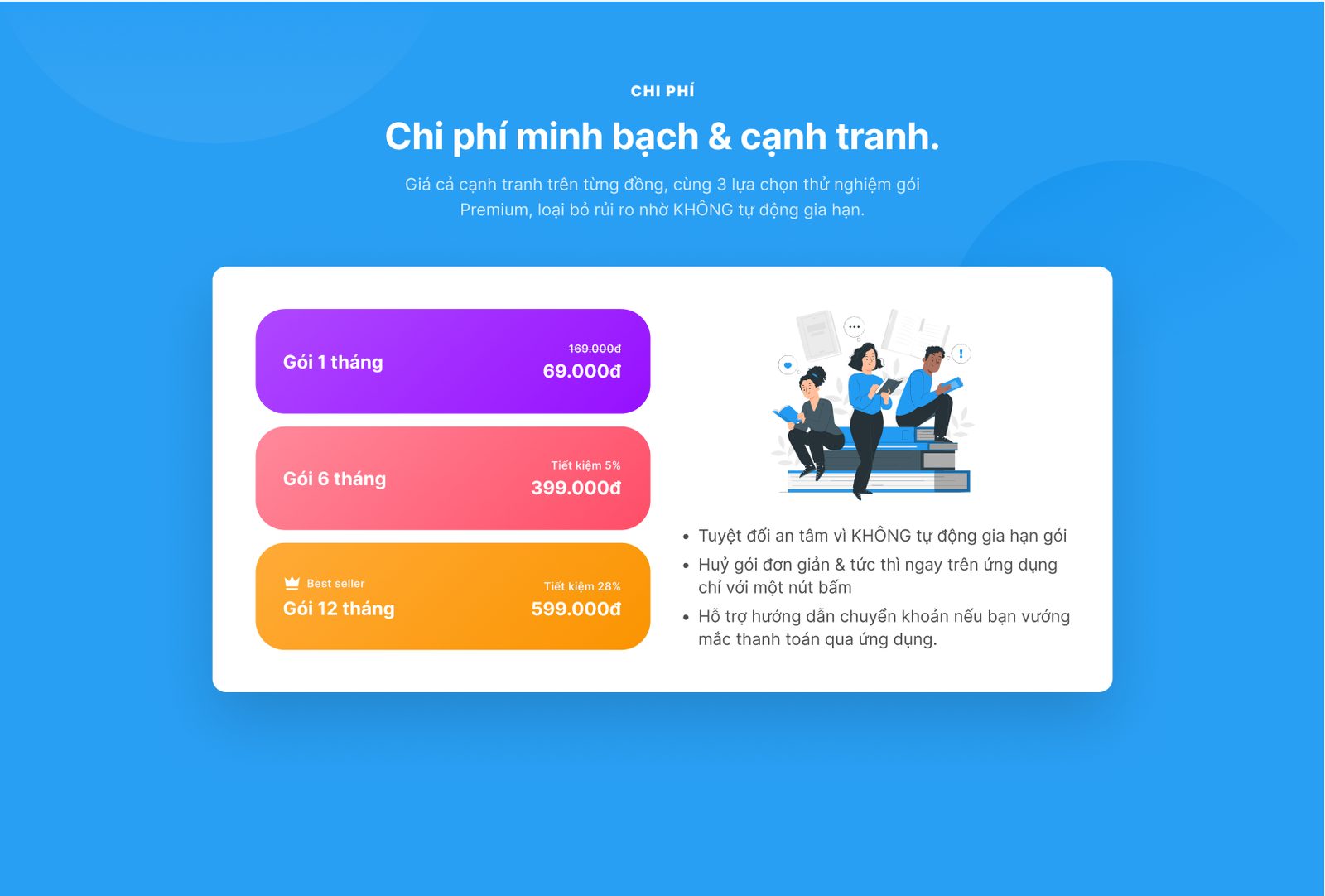
Open the page, lock the listening. A locked title shows its cover, promise and full synopsis, with one line above the title: “Upgrade to listen to this podcast”. The plans follow the same no-surprises idea: 1, 6 or 12 months, none renews by itself, cancelling is one tap, and there is a bank-transfer guide for anyone stuck at in-app payment. The cost: with no automatic renewal, every renewal has to be won again.
- The result
The lock became a line instead of a screen. The same line marks every Premium title in the app, and the landing page’s pricing puts the no-renewal promise next to the plans, so a free user always meets the book before the price.
✺ Landing page
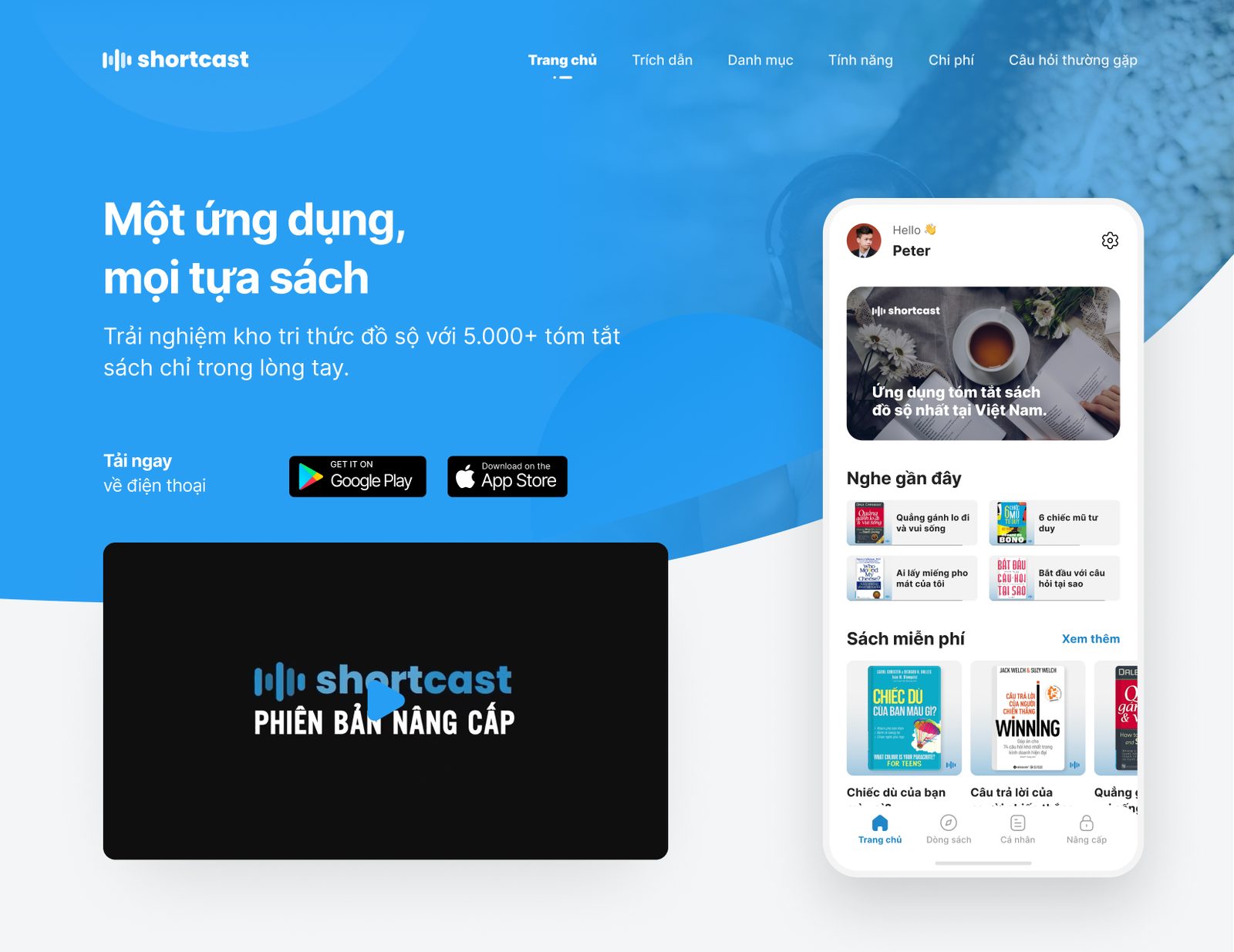
A page that answers questions in the order people ask them.
What is it, what’s inside, how does it work, what does it cost, and how do I stop? Each section answers one of those, in that order.
 Click for the full page