✺ Product Designer · via NeoPrototype Consulting
Math Formulas
I led UX/UI design for a formula lookup app with over a million users. Try the main flow here, then explore the decisions, tablet layouts and component system behind it.
Math Formulas

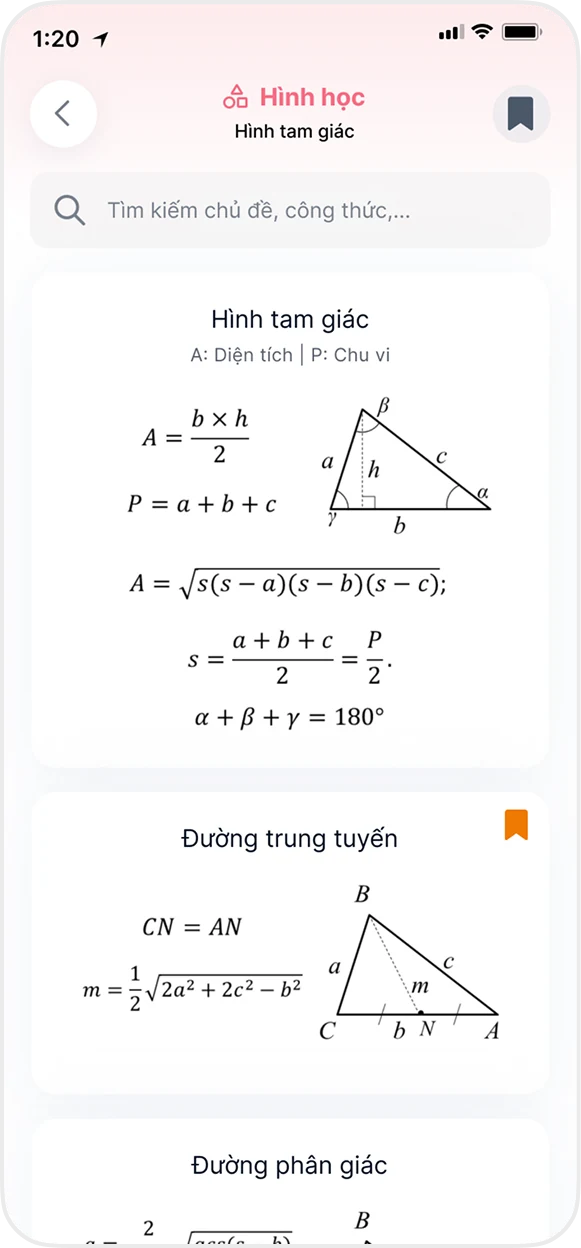
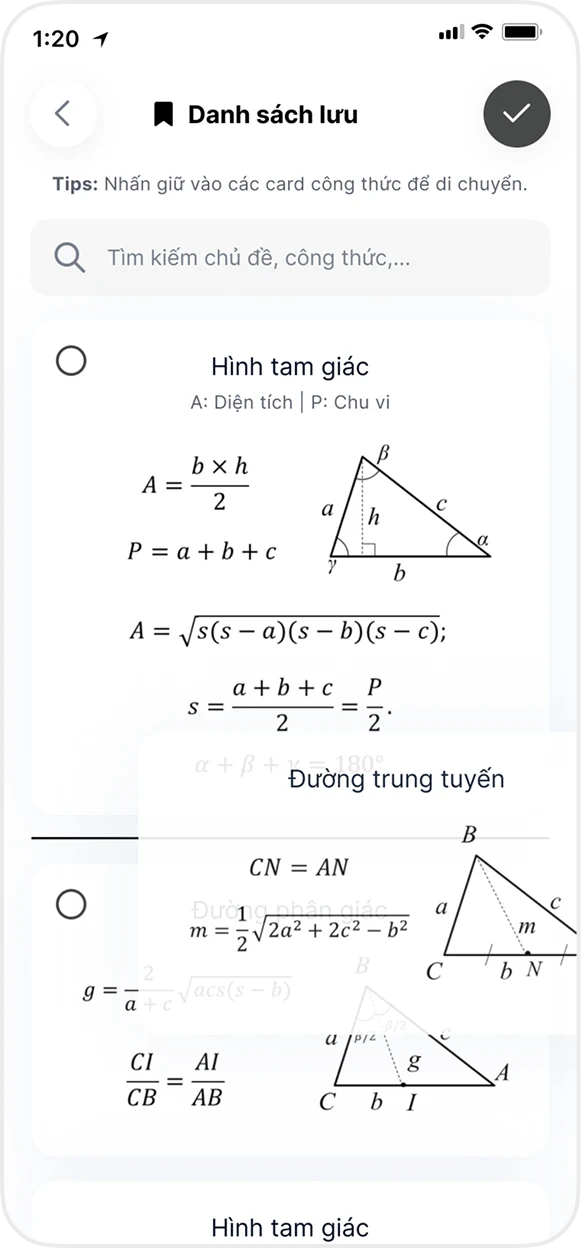
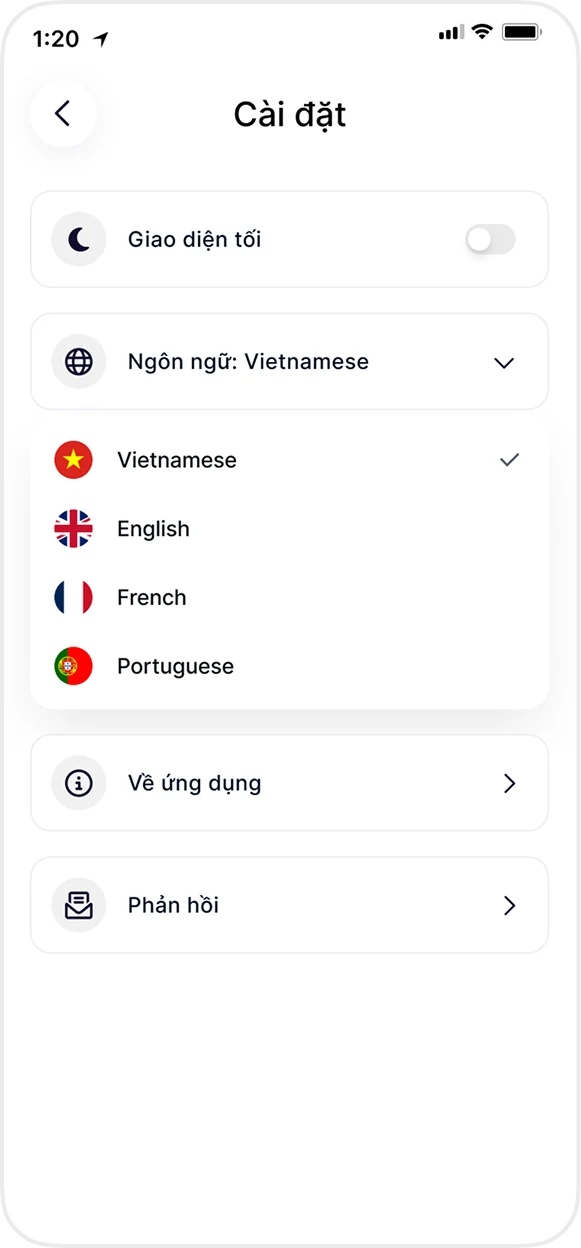
Left → right: colour-coded topics · formula cards with diagrams · drag to reorder saved sets · four languages
✺ Product Designer · via NeoPrototype Consulting
A million students need the right formula in seconds. Every design decision serves that clock.
Context. Math Formulas is a formula lookup app with over a million users. I led UX/UI design through NeoPrototype Consulting, focusing on fast lookup, readable formula cards and reusable saved lists for students.
Design decisions.
- Designed for fast lookup. Colour and icon cues distinguish topics; content is layered topic → group → formula, with search available throughout the main flow.
- Formula cards you read once. The formula, its symbols and the geometry diagram sit side by side, so nobody has to picture it in their head.
- Saved lists you can organize. Students can collect formulas for revision and arrange them in an order that matches what they are studying.
- One design, four markets. The interface holds up in Vietnamese, English, French and Portuguese, in light and dark, without the layout breaking.
✺ One decision, start to finish
Search or browse? Both, one tap apart.
- Problem
A student in the middle of an exercise needs one formula, now, not a textbook.
- What I saw
The app covers more than ten topics and calculators, on phones and iPads, in four languages. A single way in would fail someone: some students remember a formula’s name, others only the topic it belongs to.
- Options
A search-first screen, like a dictionary, or a tree to browse, like a textbook’s contents.
- Choice and cost
Both. Each topic gets its own colour and icon, content is layered topic → group → formula, and search stays one tap away on every screen. The cost is depth: a formula can sit three taps down, so the first two levels had to be recognisable at a glance.
- What happened
Over a million users rely on the app, and the prototype above lets you walk the flow tap by tap.
✺ iPad layout
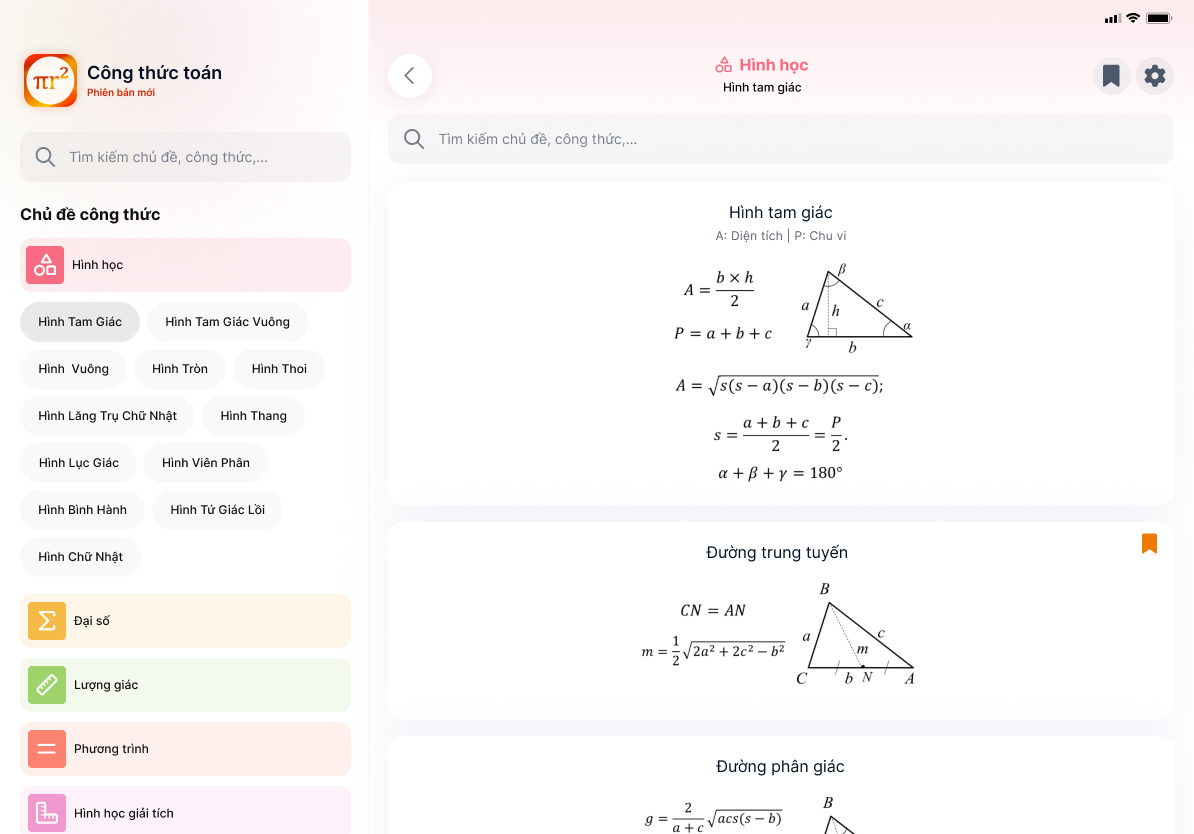
The same app, one pane wider.
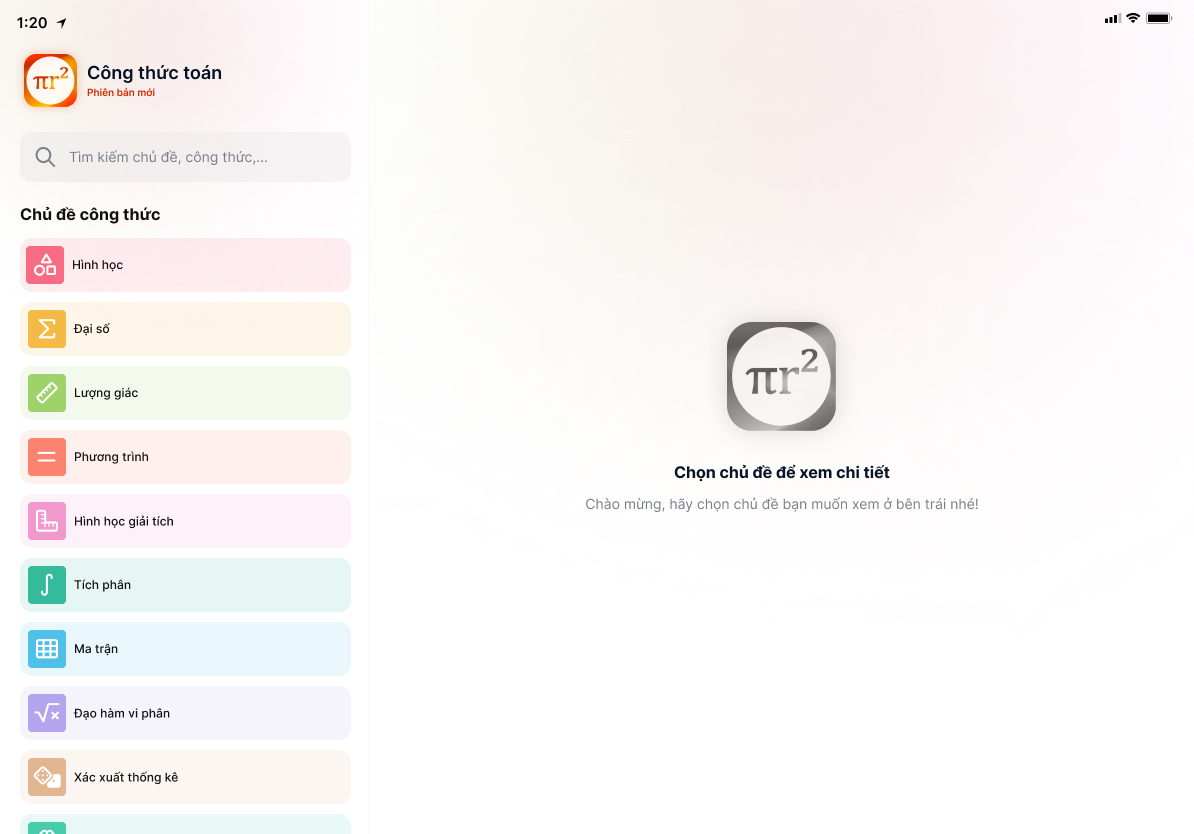
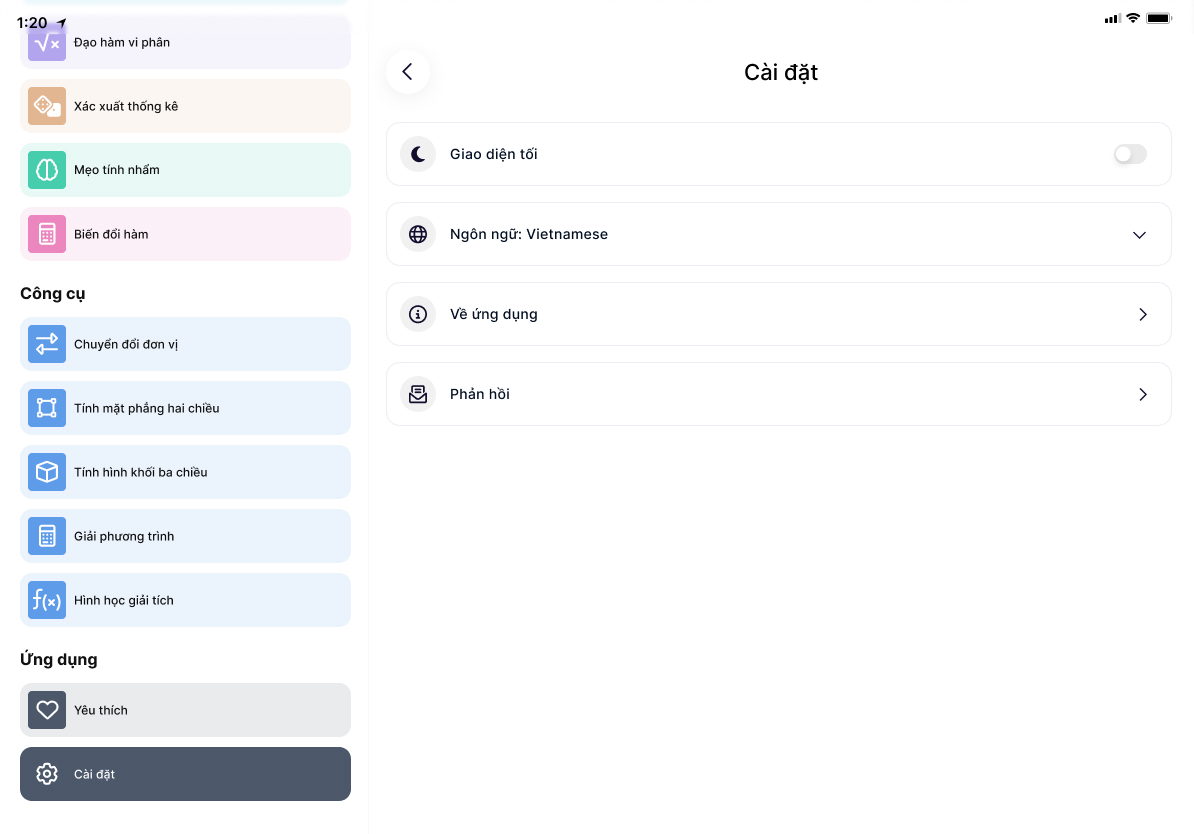
On a phone the app moves forward one screen at a time. On iPad the topic rail stays left while formulas open right, so students can switch chapters while keeping the navigation in view.
✺ Inside the file
The system behind the screens.
Phone and tablet layouts, a reusable component library and connected prototype states, all in one file. The walkthrough above was refreshed from it for this portfolio, so you can click through the design yourself.
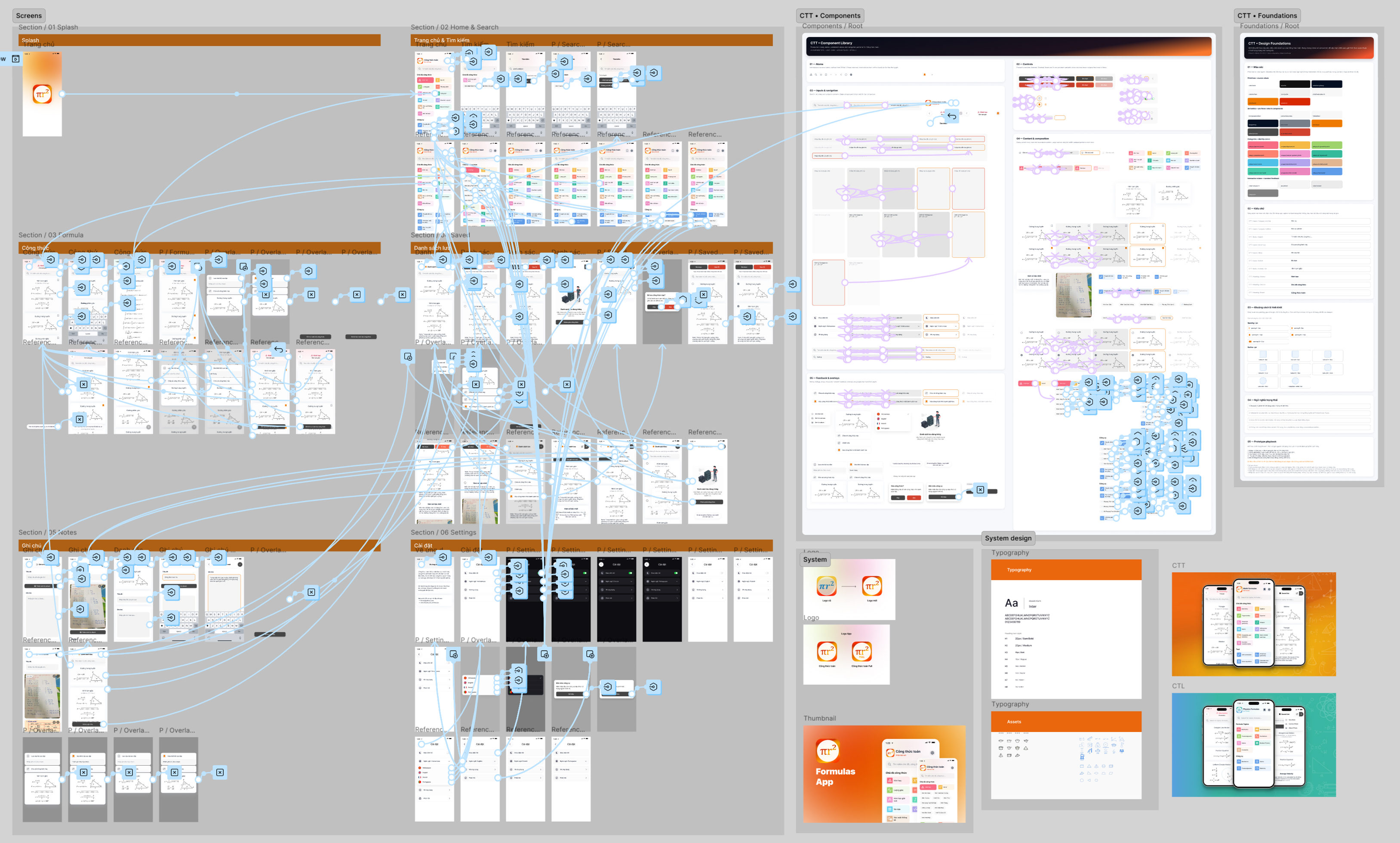
- ScreensEvery phone and iPad state, from an empty saved list to a full formula card.
- ComponentsOne library the screens are assembled from, so a change lands everywhere at once.
- FlowsThe main path mapped end to end before any pixel gets polished.
- Prototype statesPressed, saved, empty, switched language. Wired, not left for the developer to guess.